Snap on your phone, or upload in batches
A few receipts or a year's worth: photograph them or upload JPG, PNG, WebP and PDF files, up to 50 MB each.

Made for Australian individuals and small businesses
Photograph and batch-upload any receipt. AI reads and checks every detail automatically, ready for your accountant whenever you need it, saving 60% on tax-preparation costs.
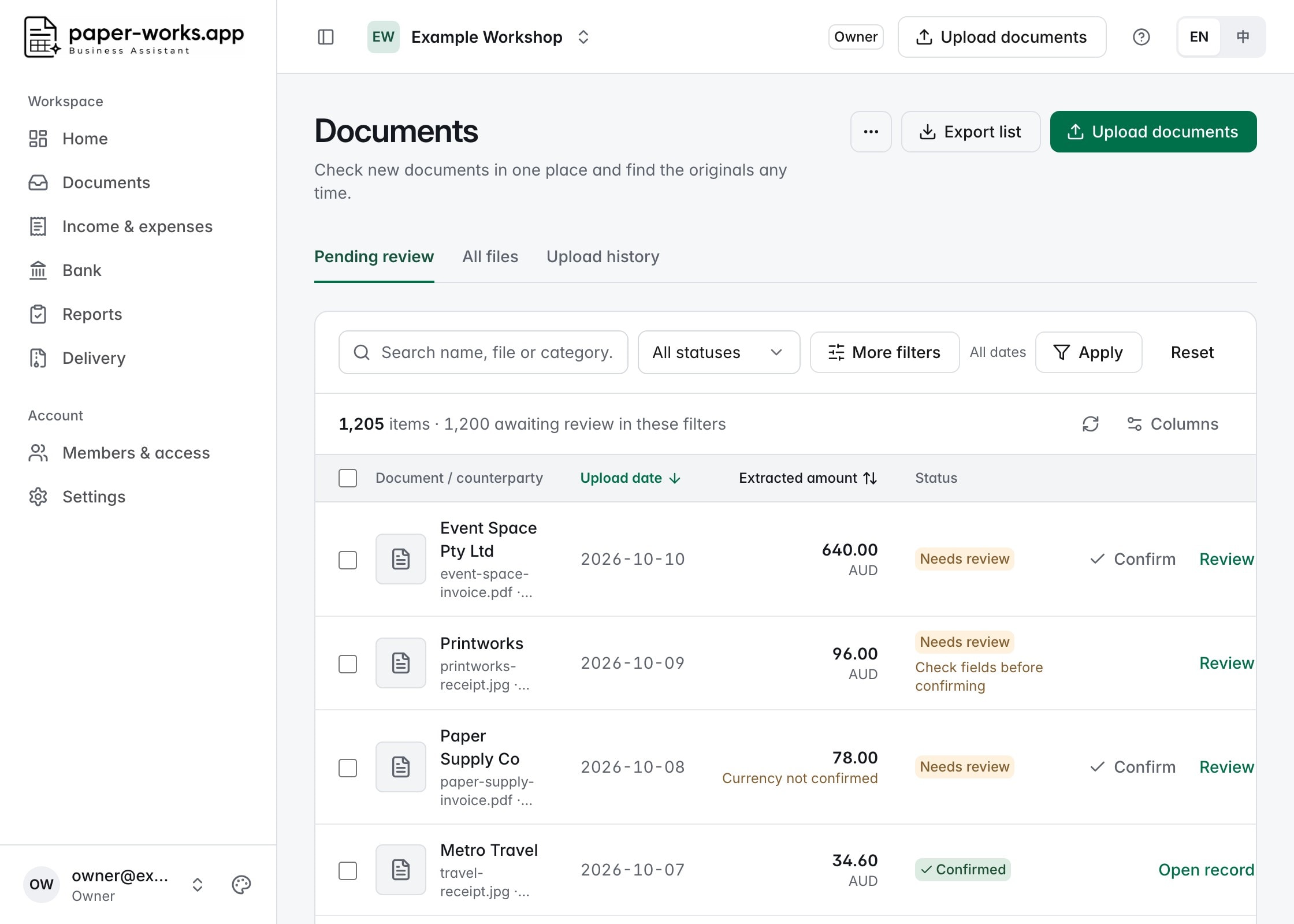
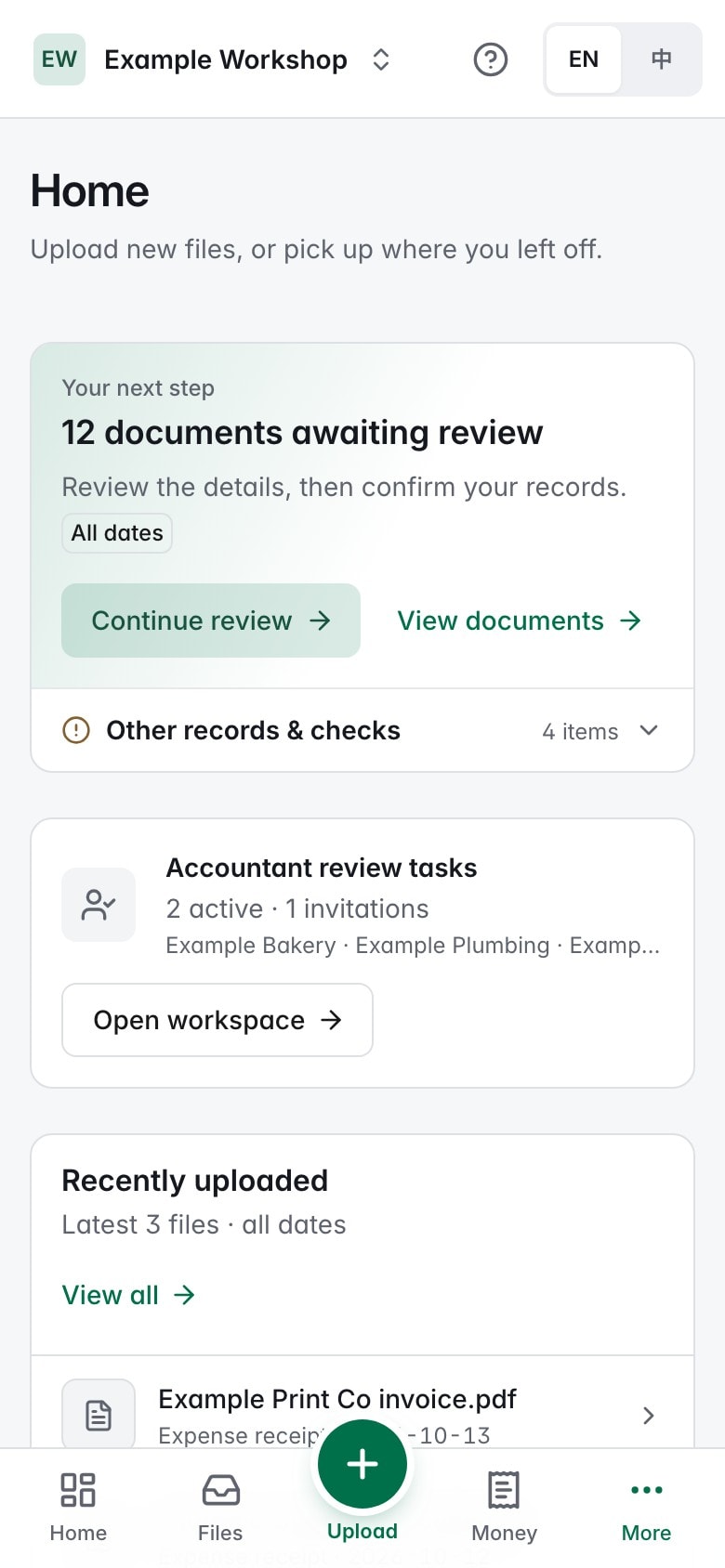
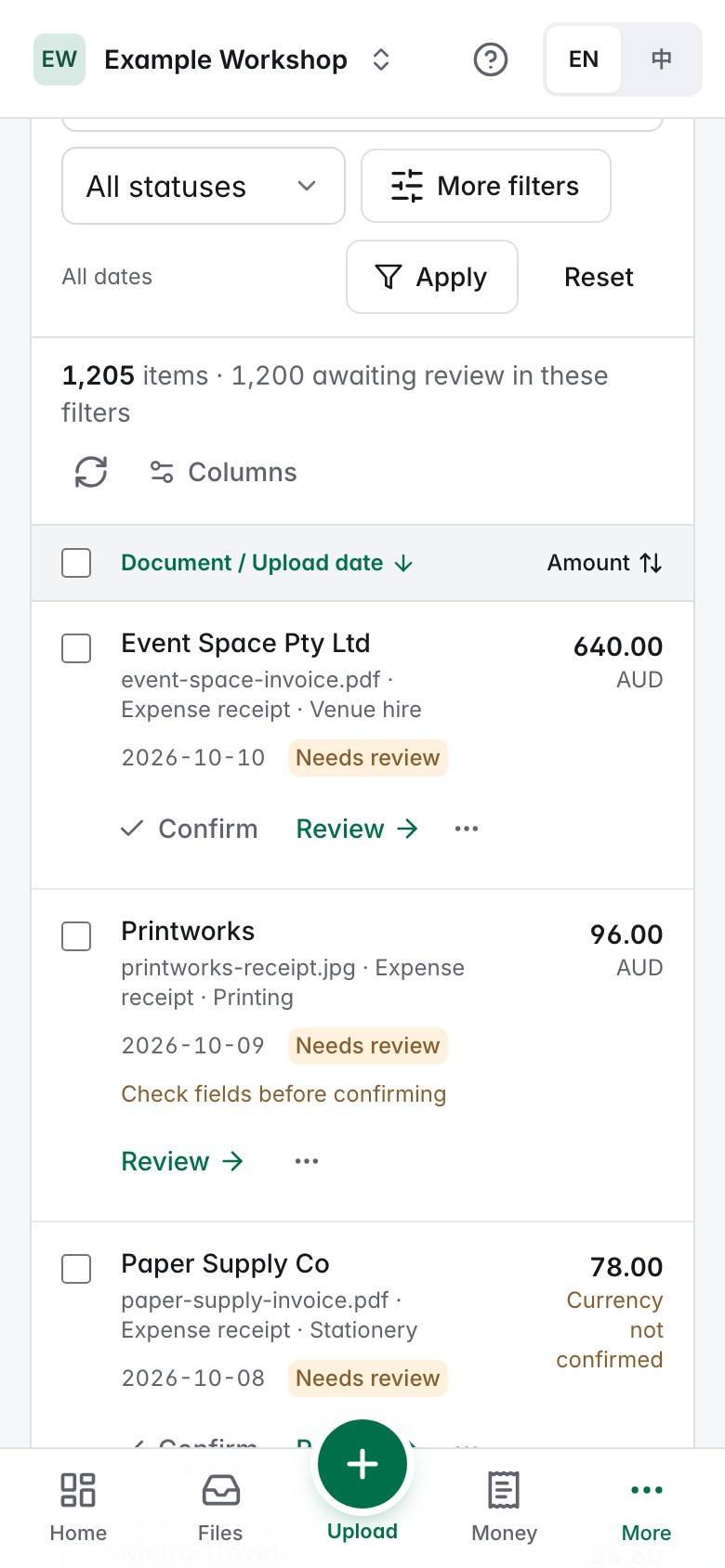
Actual interface · Example records
From a shoebox to a list
Without Paper Works
With Paper Works
Why Paper Works
From the first photo to the accountant's pack, without spreadsheets in between.
A few receipts or a year's worth: photograph them or upload JPG, PNG, WebP and PDF files, up to 50 MB each.
Extracts suppliers, dates and amounts and suggests categories, in the background.
Check fields beside the original. AI results never become records until you confirm them.
Confirmed records become income and expenses, totalled separately for each currency.
Import your bank's CSV and check each line against your records to find what's missing.
Export Excel or CSV reports with packs of original files, or invite your accountant to review the library. Finished periods keep a version you can come back to.
A clear workspace
Receipts and invoices become a reviewable list, not another folder to sort through. Amounts, dates, status and source documents stay within reach.
A simple routine
Upload receipt photos, invoices and PDFs in batches. Keep the original files alongside their records.
Check extracted dates, amounts and suppliers. Confirm ready items together, and give exceptions a closer look.
Invite your accountant or prepare spreadsheets and original-file packs. Keep a historical version when a period is ready.
Who it's for
Tax-time receipts and paperwork, organised.
See business income and expenses clearly, without bookkeeping know-how.
Separate libraries per business, with team members uploading and organising.
Clients share a library; records and originals in one place.
Made for the handover
Files are private to authorised library members. Review access does not grant permission to edit or delete your financial records.
Give an accountant reviewer access to one library. They can comment and request information. You decide who has access and can revoke it.
Prepare CSV or Excel reports with their source references. Large collections of original files are divided into downloadable packs.
Work by quarter, financial year or your own date range. Retain historical delivery versions and come back to earlier records when needed.
Before you begin
Paper Works organises records. It does not lodge tax returns or give tax advice.
Yes, in batches of up to 100 files. Upload JPG, PNG, WebP or PDF files, up to 50 MB each. Recognition runs in the background with progress and review states. Processing time varies with file count and size, page count, image quality, connection and queue load; there is no fixed one-minute completion guarantee.
Individuals organising tax-time paperwork, sole traders and small businesses preparing records for their accountant. You can keep separate record libraries for different businesses.
No. Recognition creates drafts for your review. You check or correct the result before confirming it. Confirmed income and expenses are kept separate from pending items.
Yes. Invite them to a specific library as a reviewer. They can review records, open available originals, download reports and request information, without editing your trusted financial records.
Complete the preparation period to save a historical version, then choose the next period. Earlier records and original files remain available. Later changes do not silently rewrite an earlier delivery.
Paper Works helps organise and review records. It does not lodge tax returns or provide tax advice. Estimates and final tax treatment should be checked with your accountant or registered tax agent.
One place to collect, check and share your records.